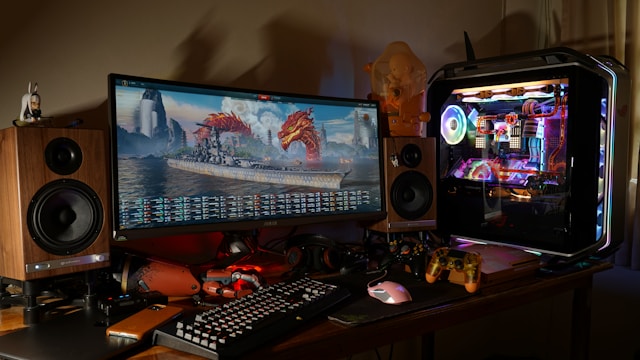
Why 4K OLED Monitors are Essential for Gamers
The gaming industry has seen a tremendous evolution in
graphics and performance. The introduction of 4K OLED monitors
has significantly impacted how gamers experience their
favorite titles. These monitors provide unparalleled color
accuracy and refresh rates that are critical for an immersive
gaming experience.
Understanding OLED Technology
OLED, or Organic Light Emitting Diodes, differ from
traditional LCD screens by eliminating the need for a
backlight. Each pixel emits its own light, allowing for true
blacks and exceptional contrast ratios. This technology
results in more vibrant colors and greater detail in dark
scenes, both crucial aspects for gamers who demand the best
visual experience.
The absence of a backlight also means thinner, lighter
screens. However, OLEDs can suffer from burn-in issues if
static images are displayed for prolonged periods. This is an
essential consideration when using these monitors not only for
gaming but also for general computing tasks.
Top Features to Consider
When selecting a 4K OLED monitor, gamers should consider
several key features:
-
Color Accuracy: A wide color gamut ensures
that games look as the developers intended. Many modern 4K
OLED monitors cover almost 100% of the DCI-P3 color space,
which is essential for realistic graphics. -
Refresh Rate: A higher refresh rate,
ideally at least 120Hz, provides smoother motion and reduces
input lag. This is particularly important in fast-paced
games where split-second reactions can determine the
outcome. -
Response Time: Quick response times reduce
ghosting and blurring effects, enhancing clarity during
rapid movements.
Comparing Popular Models
Several manufacturers offer 4K OLED monitors tailored for
gaming. Below, we compare some of the most popular models in
terms of features and performance:
1. Alienware AW5520QF
This 55-inch giant offers an expansive display ideal for
console gaming. It boasts a 120Hz refresh rate and an
impressive 0.5ms response time. The AW5520QF supports AMD
FreeSync, reducing screen tearing and stuttering. However, its
large size may not suit all setups, especially for PC gamers
with limited desk space.
2. LG UltraFine 32EP950
Featuring a more conventional size of 31.5 inches, the LG
UltraFine delivers incredible color accuracy with support for
HDR10 and hardware calibration capabilities. It has a slightly
lower refresh rate at 60Hz, which might not appeal to
competitive gamers but is excellent for stunning visual
quality in single-player games.
3. ASUS ProArt PQ22UC
This model is geared towards those who require precision in
both gaming and content creation. At 21.6 inches, it’s the
smallest on this list but offers perfect portability without
sacrificing color fidelity and contrast. Its unique feature is
its portability, making it ideal for gamers who are always on
the move.
Practical Tips for Choosing the Right Monitor
Choosing the right 4K OLED monitor involves assessing your
specific needs and gaming environment:
-
Space Considerations: Ensure that your
setup can accommodate larger screens like the Alienware
AW5520QF if you opt for a more immersive experience. -
Gaming Style: If you play primarily
competitive games, prioritize refresh rates and response
times over sheer size or additional features. -
Budget: OLED monitors can be pricey due to
their advanced technology. Consider what features are
essential versus nice-to-haves to avoid overspending.
Which monitor suits which kind of player
The world of 4K OLED monitors offers remarkable opportunities
for gamers seeking top-tier visual experiences. While options
abound, understanding your personal preferences—whether it’s
rich color accuracy or high-speed responsiveness—can help
narrow down the choices to a monitor that truly enhances your
gaming world.